A full accessibility audit and remediation of a Gastroenterology patient portal — 11 screens, desktop and mobile, against WCAG 2.2 Level AA.
Accessibility
UX Design
Healthcare
Company:
Modmed
Role:
UX Designer
Date:
2025-2026
Duration:
8 months







Every patient deserves equal access
The Challenge
A Gastroenterology patient portal had never been audited for accessibility — despite serving chronically ill patients in a legally regulated industry. The work: audit all 11 screens (desktop and mobile) against WCAG 2.2 AA and IBM Accessibility Checker (with 0 violations), build a prioritized remediation plan, and ship the fixes.
Audit
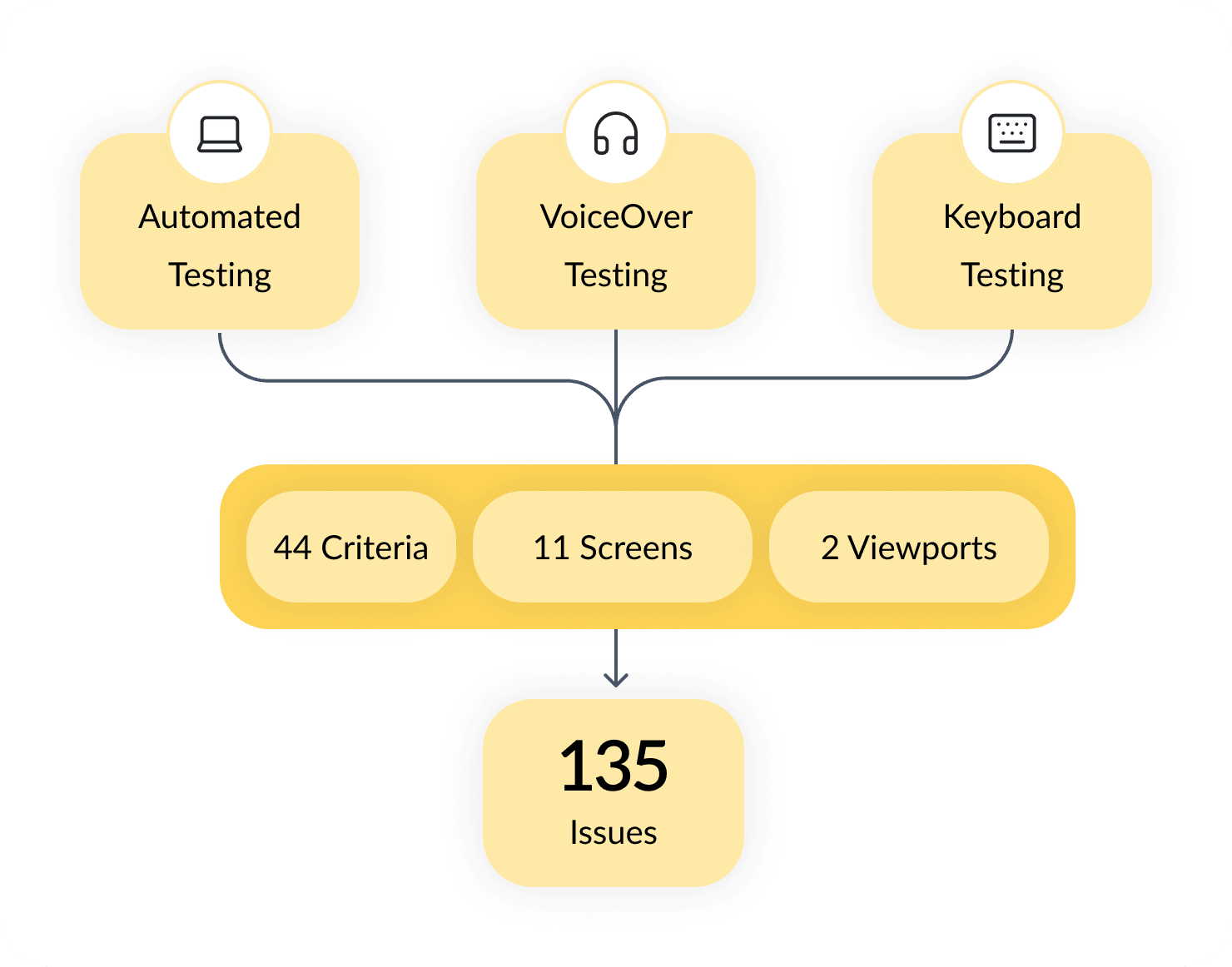
The portal was audited against WCAG 2.2 Level AA using three complementary methods, each catching what the others miss: automated scanning with IBM Equal Access for code-level issues, keyboard navigation for focus order and traps, and VoiceOver on macOS for semantic structure and dynamic content announcements. Every screen was tested on both desktop and mobile, with findings documented per criterion in a master assessment matrix.
Findings
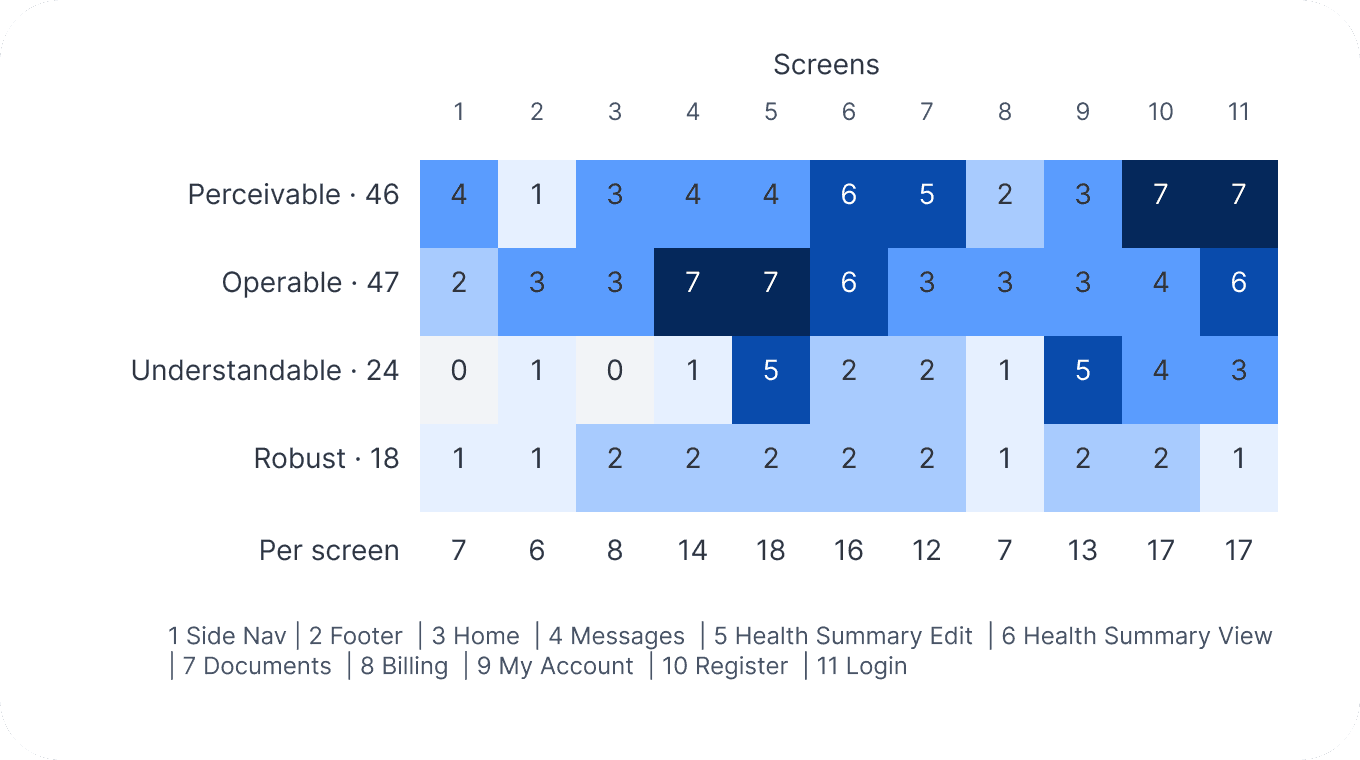
135 issues in total across the 4 WCAG principles on 11 screens, both desktop and mobile:
Interaction heavy screens like Health Summary had the most issues.
Perceivable and Operable are the highest ranking errors.
No page had 0 errors.
Remediation
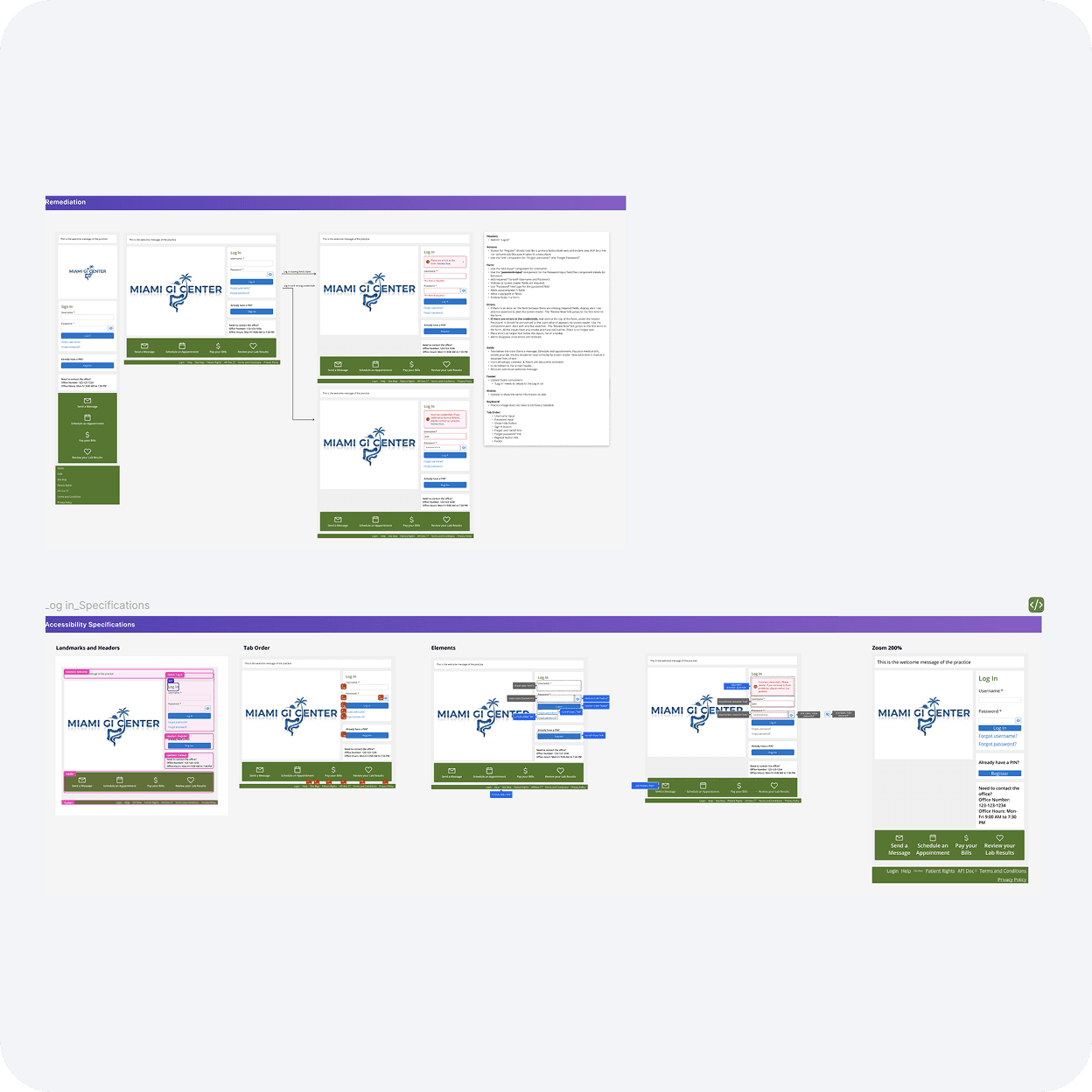
Every failing criterion was paired with a remediation spec in Figma — each issue annotated with the precise change required. Some fixes were small attribute additions; others required new components built from the ground up.
Color Contrast and Palette
Name, Role and Value
Forms, Labels and Error Messaging
Keyboard Navigation
15
REUSABLE ACCESSIBLE COMPONENTS AND STYLES
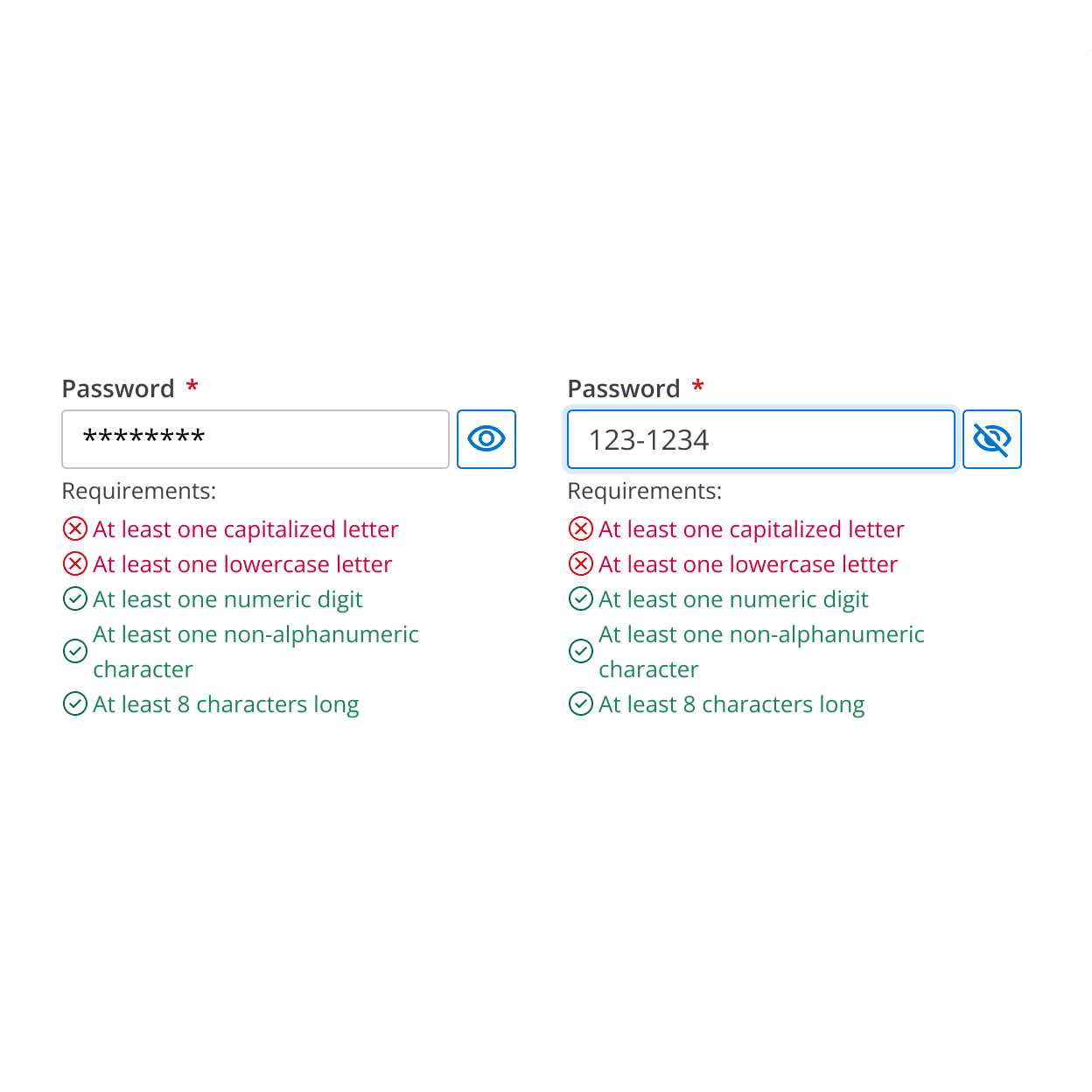
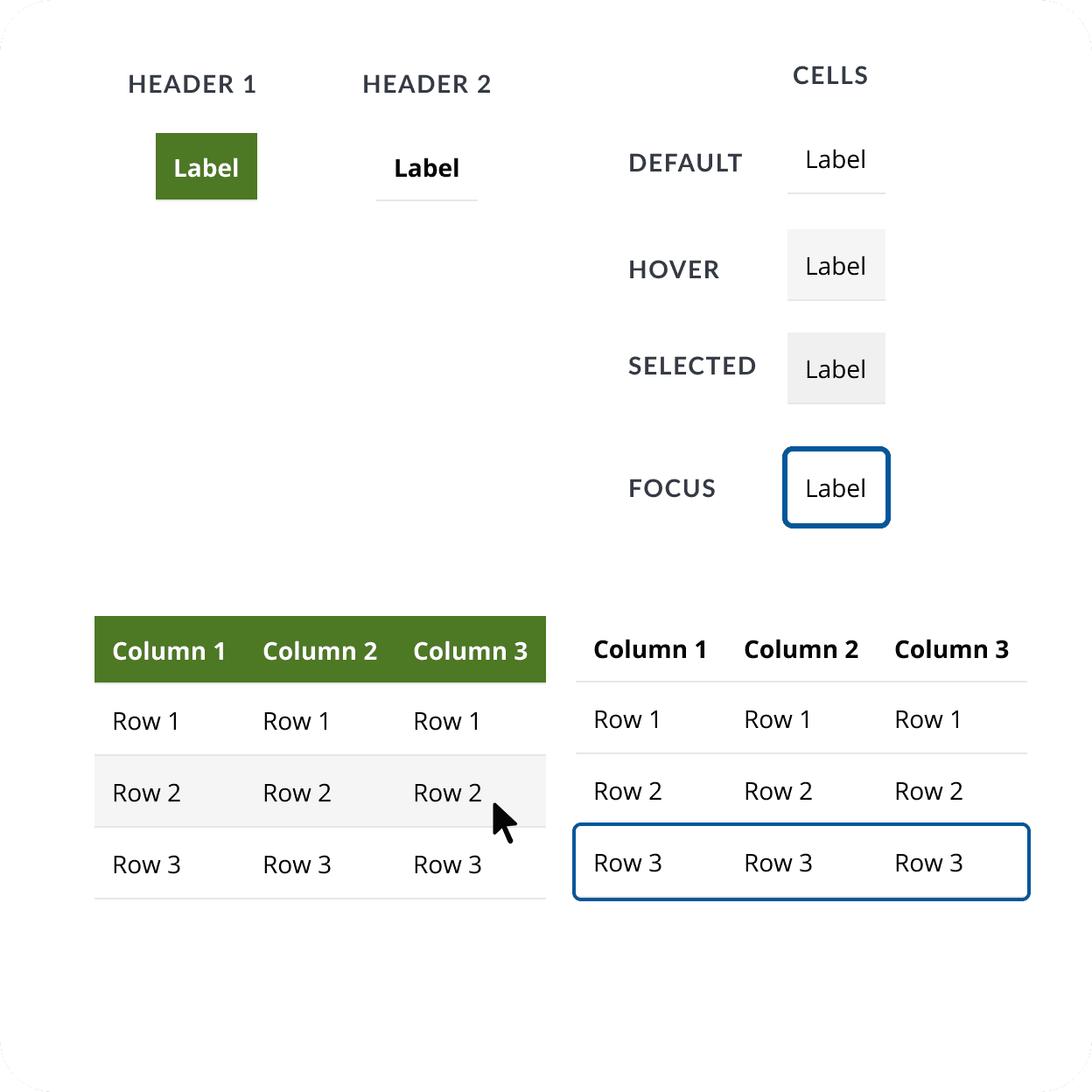
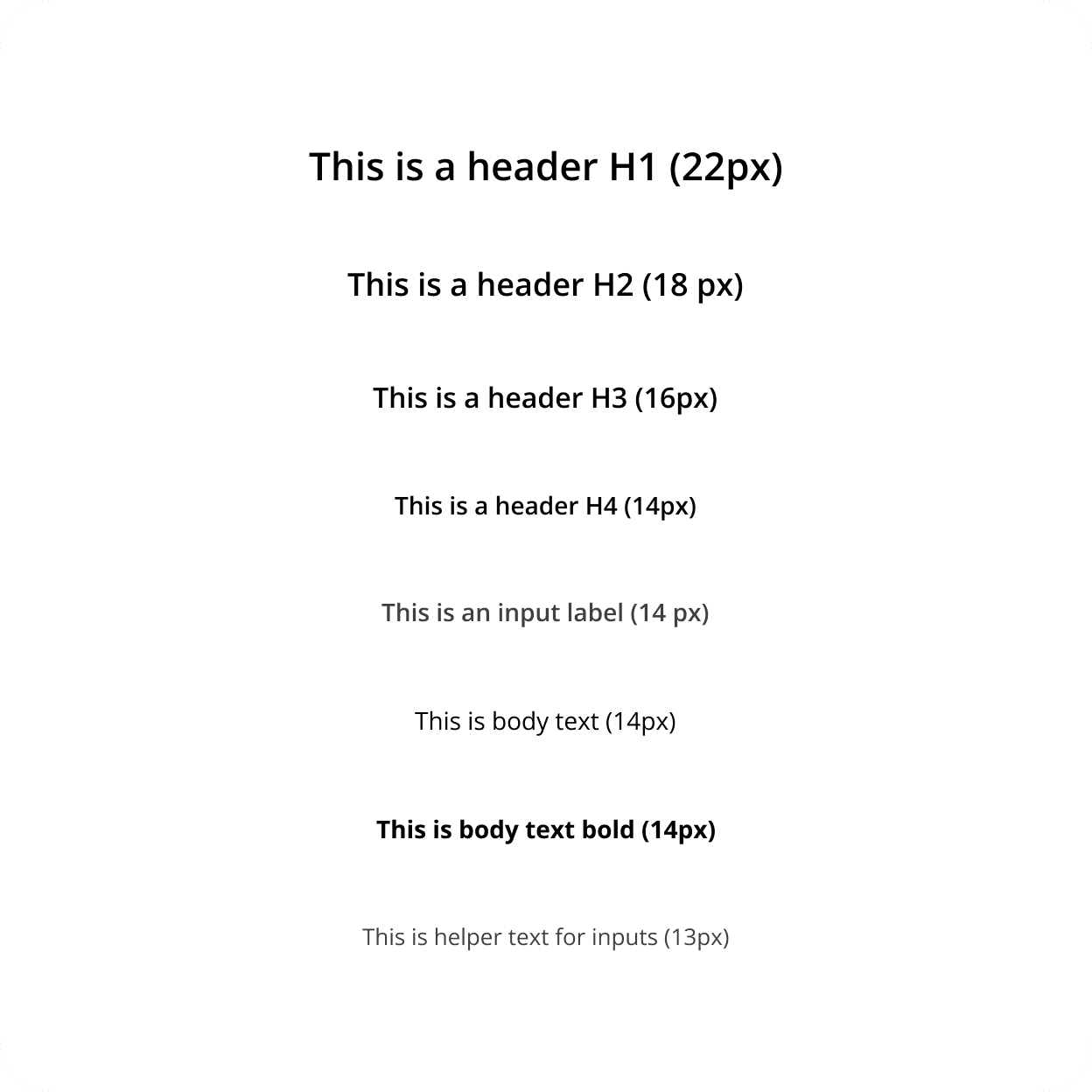
Most components existed visually before but as fragmented hardcoded duplicates. The library consolidated these into a single accessible source of truth. Where gaps existed, new variants were added with proper states.
Every component ships with semantic HTML, keyboard interaction, ARIA states, programmatic label associations, status communicated via color and icon, focus rings tested at 3:1 contrast, and inline usage rules.
A developer using the library gets WCAG 2.2 AA compliance by default — no decision-making required.



Process Innovation
Implemented an updated development workflow to accommodate WCAG validation in which UX controls ticket closure by creating dev defects until all specs are met.
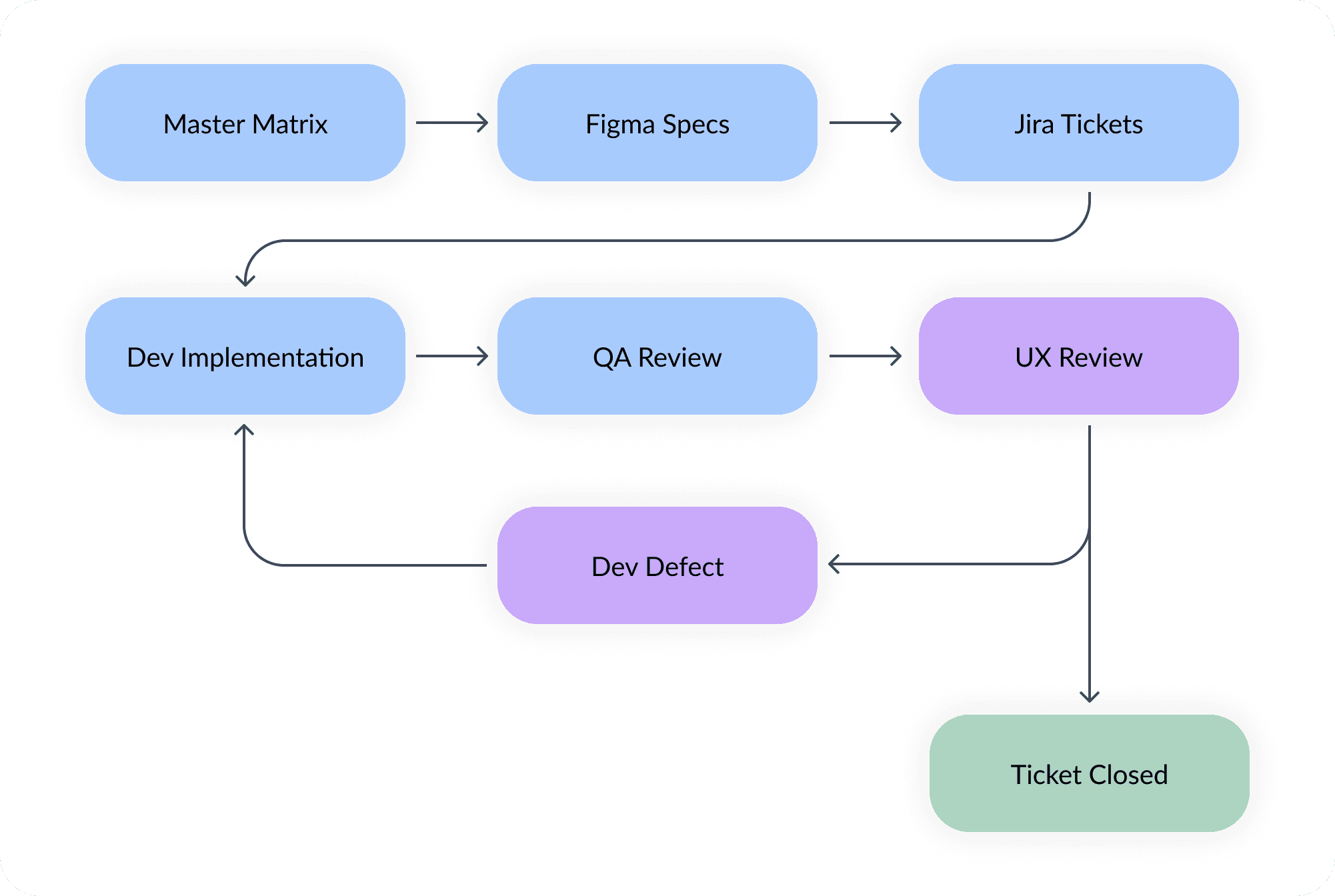
Accessibility specs are precise — a missing aria-label, an aria-modal not applied, a focus ring with wrong contrast — and standard ticket workflows have no verification step after dev marks work complete. Neither WCAG remediation nor UX collaboration was familiar territory for this team, so there was no existing handoff to lean on. I introduced a closed-loop workflow: UX, not dev, controlled closure. After dev marked work complete, the ticket returned to me for verification; gaps became dev defects — follow-up tickets only I could close — and the cycle repeated until the spec was met. Tickets did not close on dev confidence; they closed on verified compliance.
62
STORIES
92
DEV DEFECTS
17
BUGS
The 92 dev defects are the most informative number: those were tickets devs had initially marked complete, but where review found remaining accessibility gaps.
UX to QA Trainning
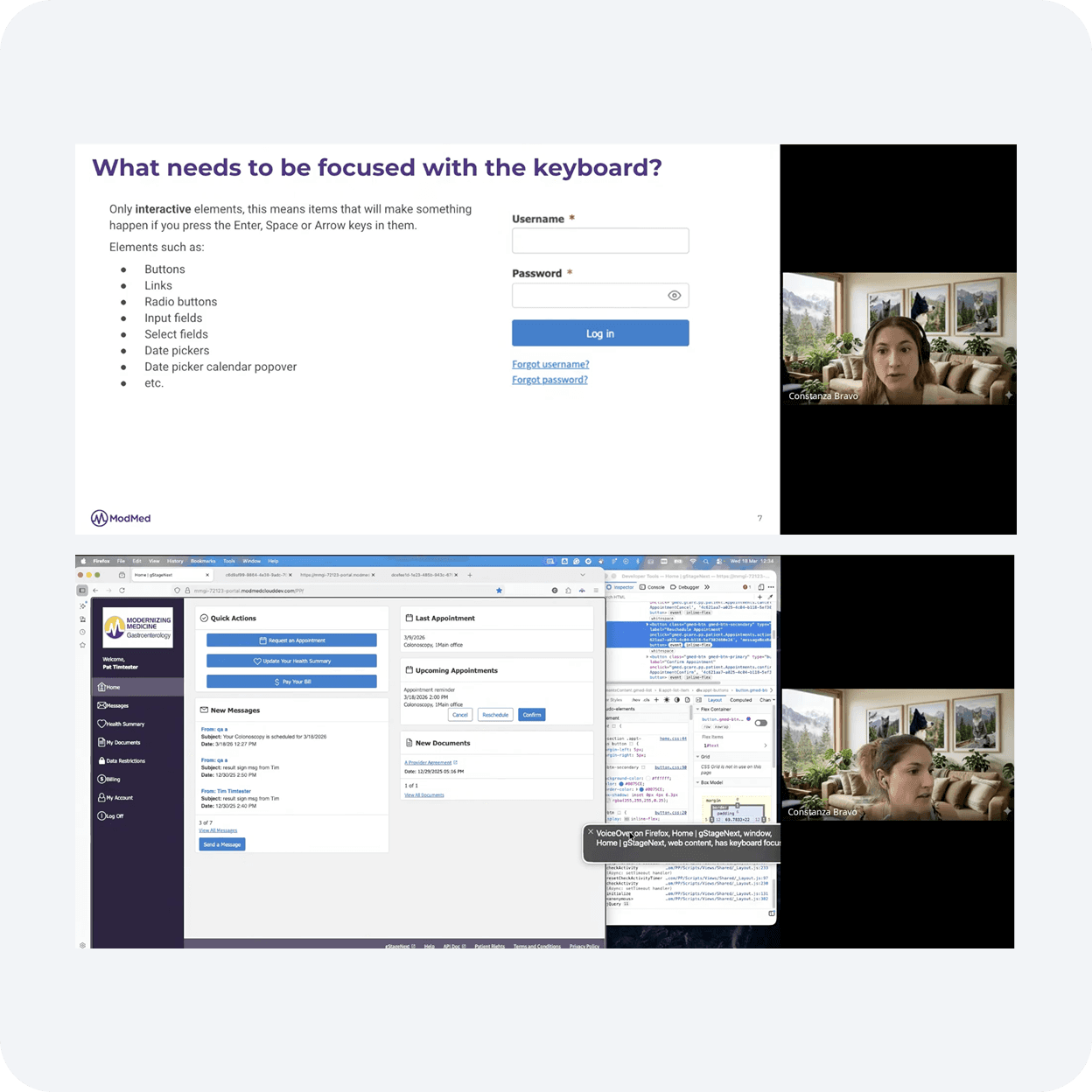
The closed-loop process caught regressions late in the cycle. Earlier catching — at the QA stage — would shift accessibility into the standard quality bar, but QA had no prior training: no tools, no vocabulary, no method.
Three brief sessions, mirroring the audit's own methodology:
Automated — running the IBM Equal Access Checker, interpreting findings, what it catches vs. misses.
Keyboard — focus order, visibility, traps, skip links, key shortcuts, how to think like a keyboard user.
Screen reader — VoiceOver basics on macOS, what semantic structure should sound like, recognizing when something is announced wrong.
Accessibility moved from "the UX person's checklist" to part of how QA tests everything.
The team's accessibility capability scales beyond my presence on the project.
Technical Limitations